AI Workflows
The First AI Workflow Your Law Firm Should Pilot
June 9, 2026
By Stephen Walther
Founder of DraftWorks, former Microsoft product manager, and State Bar of Texas approved MCLE sponsor
Your competitors are already learning how to use AI. Here is how Texas law firm leaders can start with one safe, practical workflow.
The majority of lawyers who use AI report saving up to five hours per week, with some saving eleven hours or more.1 That is not a modest efficiency improvement. That is the difference between a firm that can move faster, handle more work, respond to clients sooner, and compete more aggressively.
This is already happening. Law firms are not waiting for AI to become perfect. They are learning where it works, where it fails, and how to build it into the daily work of the firm. The firms that figure this out first will not just save time. They will change what clients expect. They will make slower firms look expensive, outdated, and difficult to work with.
I saw this happen in the technology industry. Companies that learned how to use AI quickly gained leverage. Companies that treated AI as a curiosity fell behind. The same pattern is coming to law firms. Not in every practice area at the same speed, but the direction is clear: routine legal work is going to be redesigned around AI-assisted workflows.
But this does not mean the answer is to turn every lawyer loose with ChatGPT.
ChatGPT is a powerful general-purpose tool. It is not a law firm workflow. It does not know your matters, your document structure, your review process, your ethical obligations, your client confidentiality requirements, or the way your firm produces work. Giving every lawyer access to ChatGPT is not an AI strategy. For serious legal work, the better question is: which recurring workflows in your firm can be redesigned with AI while keeping lawyers in control?
That is where I would start.
Giving every lawyer access to ChatGPT is not an AI strategy.
Not with open-ended legal research. Not with legal judgment. Not with unsupervised brief writing. Start with the repetitive work your firm performs again and again: building chronologies, reviewing intake forms, summarizing records, organizing discovery documents, extracting key facts from client materials, or turning a pile of documents into a structured internal summary.
This article is for partners, owners, and law firm leaders who want a practical strategy for implementing AI safely. It is not a technical article about programming. It is a management article about how to identify the right workflow, measure the current process, design a human-supervised AI system, test it on one matter, and then expand workflow by workflow.
At the end of this article, I include a downloadable AI Workflow Discovery Worksheet for Texas law firms that you can use to identify your firm’s first AI workflow.
Step 1: Identify a Repetitive Workflow
Start by looking for work your team already does again and again.
Not necessarily simple work. Not necessarily clerical work. Not necessarily work that could have been automated five years ago.
Look for work that has a pattern.
What documents come in? What facts need to be extracted? What judgment calls are usually made by a lawyer or experienced staff member? What deliverable gets produced at the end? What task does everyone know has to be done, but no one is excited to do?
In my consulting work with law firms, I have seen AI workflow opportunities in areas such as:
- Building medical or event chronologies
- Reviewing intake forms
- Summarizing records
- Preparing property tax protest packets
- Organizing discovery documents
- Extracting key dates, names, deadlines, and inconsistencies
- Creating first drafts of internal summaries
- Preparing first drafts of routine pleadings, such as an Original Petition for Divorce
The important point is that “workflow” does not mean “mindless task.” Before generative AI, many law firm processes were difficult to automate because they required reading, interpretation, categorization, comparison, and judgment about what mattered. Traditional software is good at following explicit rules. It is bad at understanding a messy set of documents.
AI changes that.
AI can read records, extract facts, summarize long documents, identify dates and parties, compare statements, analyze images, and organize information across a large document set. That does not mean AI should make legal decisions. It means AI can now assist with parts of legal work that used to require a human to sit down and grind through documents manually.
That is why the best first workflow is often not the most glamorous one. It is the recurring document-heavy task that consumes hours, frustrates your team, and produces a predictable work product.
Start there.
Step 2: Use the Worksheet to Map the Current Process
After you identify a workflow that might be worth automating, the next step is to document how it works today.
This is where the downloadable AI Workflow Discovery Worksheet at the end of this article becomes useful. Before you build anything, you want to understand the current process clearly enough that you can explain it to someone outside the firm.
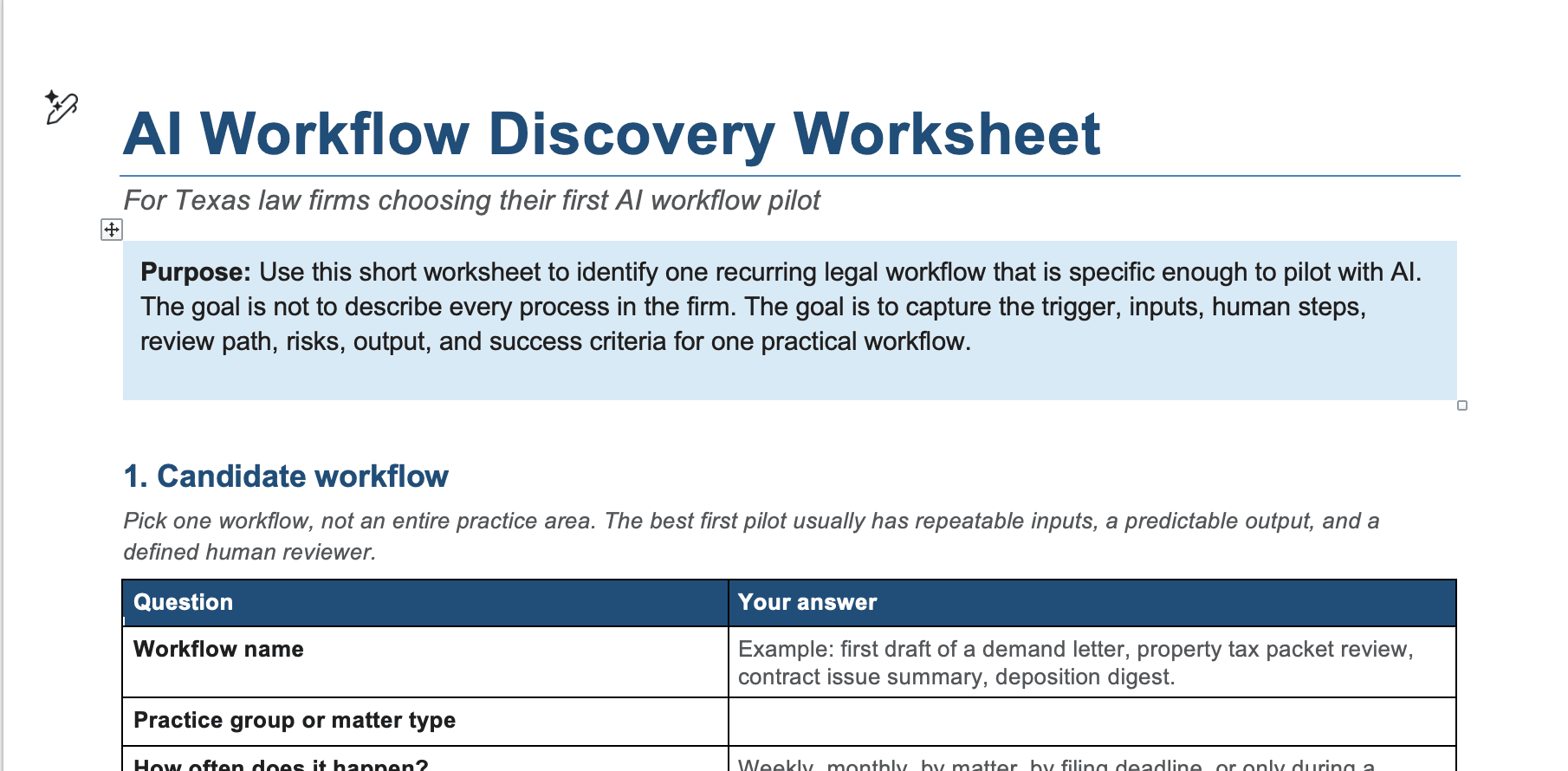
The worksheet asks practical questions:
- What triggers the workflow?
- What documents go in?
- Who performs the work today?
- How long does it take?
- What steps are performed along the way?
- What decisions are made?
- What deliverable comes out?
- Who reviews the deliverable?
- What mistakes would matter?
- What confidential information is involved?
- What would success look like?
That last question is critical.
If you cannot define success, you cannot know whether the AI workflow was worth building. A vague goal like “use AI to be more efficient” is not enough. A better goal is: “Reduce the time required to prepare a first-draft chronology from six hours to ninety minutes, while maintaining attorney confidence in the final work product.”
The worksheet may also reveal that a workflow is not a good first candidate for automation. Maybe it takes less time than everyone assumed. Maybe the real bottleneck is not document review, but getting complete records from the client. Maybe the process is so inconsistent that the firm needs to standardize it before introducing AI.
That is useful information.
The point of this step is not to slow the firm down. It is to prevent the firm from wasting money building the wrong thing. A good AI workflow starts with a clear picture of the current workflow: the inputs, the people, the decisions, the risks, and the output.
Only then can you decide whether AI is likely to save enough time, reduce enough friction, or improve enough consistency to justify the investment.
Step 3: Design the Human-Supervised AI Workflow
After you map the current process, the next step is to design the AI-assisted version of the workflow from beginning to end.
This means deciding which parts of the workflow AI can handle, which parts require human input, and where attorney review is mandatory.
The goal is not to remove lawyers from the process. The goal is to stop wasting lawyer time on work that AI can prepare for review. Lawyers should be involved where their judgment actually matters: evaluating legal significance, checking accuracy, making strategic decisions, approving final work product, and deciding what gets sent to a client, opposing counsel, or a court.
For example, an AI workflow that prepares a chronology should not simply produce a timeline and move on. The workflow should identify the source document for each event, flag uncertain dates, highlight missing information and conflicts, and route the draft chronology to a human reviewer. The reviewer should know exactly what needs to be checked before the chronology is used.
The same principle applies to other workflows. If AI summarizes records, the human reviewer should know which conclusions need verification. If AI drafts a routine pleading, the attorney should confirm the facts, legal basis, parties, jurisdictional allegations, requested relief, and any citations. If AI extracts deadlines, someone must verify the calculation before the deadline is relied on.
Texas Opinion 705 makes this point directly. Lawyers who use generative AI must treat its output with the same caution they would apply to work from an inexperienced or overconfident assistant. As the opinion explains, “Lawyers who rely on generative AI for research, drafting, and communication risk many of the same perils as those who rely on inexperienced or overconfident nonlawyer assistants.”2
That is the right mental model for an AI workflow.
AI can prepare work. AI can organize information. AI can create a first draft. AI can flag issues for review. But the lawyer remains responsible for the final judgment and the final work product.
For that reason, almost every serious AI workflow in a law firm should include a human-in-the-loop review process. The question is not whether a human should review the output. The question is where the review should occur, who should perform it, and what exactly they are responsible for checking.
Step 4: Build a Simple Custom Interface
After you design the AI workflow, the next step is to design the user interface: the screen your lawyers, paralegals, or staff will actually use to run the workflow.
This does not require a massive software project. In many cases, the first version of an AI workflow is simply a secure web page built for one specific task.
For example, a chronology workflow might include:
- A matter number
- Upload fields for medical records, correspondence, pleadings, or other case documents
- A place to identify the relevant date range
- A button to generate a draft chronology
- A structured output that lists events, dates, source documents, page references, and items that require human verification
An intake review workflow might include upload fields for a completed intake form and supporting documents, followed by an output that identifies key facts, missing information, potential deadlines, conflicts to check, and questions for attorney review.
The point is that the interface should match the workflow. It should guide the user through the process, collect the right documents, send the right instructions to the AI model, and produce an output that is easy to review.
Behind the scenes, the interface can call an AI provider’s API. OpenAI, Anthropic, Google, and other providers make their models available through APIs, which means a law firm does not need to rely on a generic ChatGPT window. A custom interface can be built around the firm’s actual workflow, its document types, its review process, and its confidentiality requirements.
This is an important distinction. ChatGPT is a general-purpose tool. A custom AI workflow is a controlled process.
ChatGPT is a general-purpose tool. A custom AI workflow is a controlled process.
The custom interface can require a matter number. It can keep matters separate. It can limit what documents are uploaded. It can use firm-approved instructions. It can produce a structured output instead of an open-ended chat response. It can remind the reviewer what must be checked before the work product is used.
The front end is usually not the hardest part. The harder work is defining the workflow, protecting the data, designing the review process, and deciding exactly what the AI system should and should not do.
That is why the earlier steps matter. If you have identified the right workflow, mapped the current process, and defined the human review points, the custom interface becomes much easier to build.
Step 5: Build in Safety from the Beginning
Safety cannot be something the firm adds later. It has to be designed into the AI workflow from the beginning.
Texas Opinion 705 makes clear that lawyers must use generative AI consistently with their duties of competence, confidentiality, supervision, and independent professional judgment. That is exactly why a law firm should not rely on informal, individual experimentation with ChatGPT. The safer approach is to build controlled workflows with guardrails.
A good AI workflow should be designed so that even an exhausted lawyer or staff member working late at night is not one click away from exposing confidential client information, relying on an unchecked AI answer, or using a hallucinated citation.
At a minimum, the workflow should address the following safety issues:
-
Matter Isolation. Each matter should be kept separate. The workflow should not allow documents, prompts, outputs, or confidential client information from one matter to leak into another.
-
Access Control. The right people should have access to the right matters, and only those matters. When a lawyer or staff member leaves the firm, access should be removed promptly.
-
Review Flags. AI output should be designed for review. If the workflow generates citations, dates, factual claims, legal arguments, or a final deliverable, those items should be clearly flagged for human verification before use.
-
Source References. Whenever possible, the workflow should point the reviewer back to the source document, page, paragraph, exhibit, or record where the information came from. A chronology, for example, should not merely say what happened. It should identify where in the records the event appears.
-
Audit Trail. The firm should be able to see who uploaded documents, when the workflow was run, what output was generated, and who approved the final version.
-
Retention Policies. The workflow should not keep client documents or AI-generated outputs longer than necessary. Retention should match the firm’s confidentiality, records-management, and client-file policies.
The point is not to make AI risk-free. No legal workflow is risk-free. The point is to design the workflow so that confidentiality, supervision, review, and accountability are built into the process instead of depending on every individual user to remember every ethical obligation every time.
Step 6: Pilot with One Matter
Do not roll out a new AI workflow across the entire firm on day one.
Start with one matter, one practice group, and one narrow deliverable.
The goal of the pilot is not to prove that AI is impressive. The goal is to find out whether this specific workflow saves time, produces useful work product, and can be reviewed safely by the people who will actually use it.
For example, if the workflow creates a draft chronology, test it on one matter with a defined set of documents. Compare the AI-assisted process against the way the chronology would normally be created. How long did the old process take? How long did the AI-assisted process take? What did the AI get right? What did it miss? How much review was required before the output could be trusted?
During the pilot, measure practical things:
- Time saved
- Error rate
- Reviewer confidence
- Attorney adoption
- Client sensitivity
- Quality of the final work product
- Whether the output was actually useful
- Whether the workflow should be revised
The pilot should also test the safety design. Were matters kept separate? Were source references available? Were review flags clear? Did the human reviewer understand exactly what needed to be checked? Did the workflow make it easy to approve, reject, or revise the AI output?
This is where many AI projects fail. They skip the pilot and go straight from excitement to rollout. That is risky. A pilot lets the firm learn before the workflow becomes part of daily practice.
If the pilot works, the firm has evidence. If it fails, the firm has learned something before spending too much money or creating unnecessary risk. Either outcome is valuable.
The right first AI workflow should prove itself in actual legal work, on an actual matter, under actual firm conditions.
Step 7: Expand One Workflow at a Time
Once the first workflow works, move to the next one.
The first AI workflow is not just about saving time on one task. It teaches the firm how to handle client data, structure prompts, design review steps, format outputs, measure quality, manage adoption, and keep attorneys in control.
That knowledge compounds.
The second workflow should be easier than the first. The third should be easier than the second. Over time, the firm develops a repeatable process for identifying, designing, testing, and improving AI workflows across different practice areas.
That is very different from letting every lawyer experiment randomly with ChatGPT.
The firms that benefit most from AI will not be the firms that chase every new tool. They will be the firms that identify repeatable workflows, automate them carefully, measure the results, and build safety into the process from the beginning.
My 20-plus years of product management experience, including my time at Microsoft, taught me that large technology projects often fail when they try to do too much at once. The better approach is usually incremental: solve one real problem, prove that it works, learn from it, and then expand.
Do not try to redesign the entire firm in one move.
Start with one workflow. Make it useful. Make it safe. Make it measurable. Then build the next one.
Start with one workflow. Make it useful. Make it safe. Make it measurable. Then build the next one.
Conclusion: Start with One Workflow
AI can save lawyers real time. Not theoretical time. Not someday time. Hours every week.
For a law firm, that matters. It means faster turnaround, more capacity, and less time spent grinding through repetitive work that can be prepared by AI and reviewed by a human. It also means that firms that learn how to use AI effectively will have an advantage over firms that wait.
Your competitors are not waiting. Law firms are already experimenting with AI, building internal tools, and redesigning routine legal work around AI-assisted workflows. The question is whether your firm will approach AI deliberately, safely, and strategically, or whether it will fall behind while others learn how to move faster.
The right place to start is not a firm-wide AI transformation project. It is not telling every lawyer to start using ChatGPT. It is one workflow.
Find one recurring process in your firm. Map how it works today. Identify the documents that go in, the work that gets performed, the deliverable that comes out, and the places where human review is required. Then decide whether AI can help your team complete that workflow faster, more consistently, and with the right safeguards in place.
That is how a law firm gets an AI project off the ground.
To help you take the first step, I created an editable Word document you can use with your team:
Download the AI Workflow Discovery Worksheet